

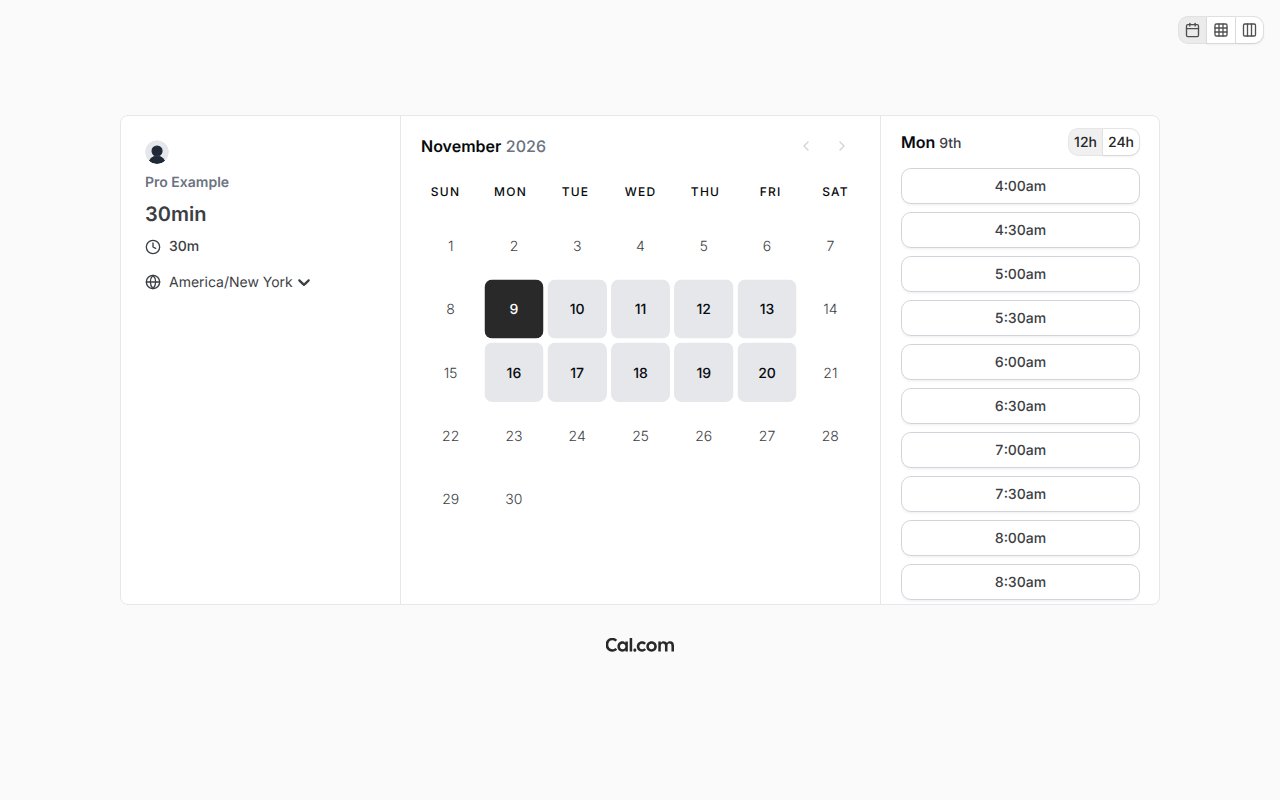
from and to to a public booking link to limit the month view to a range of days. Invitees
only see bookable days inside the range, and the calendar won’t page to months outside it. Use it to
share one link for a specific week, a launch period or the dates of a trip.
Parameters
Both days are included. You can use either parameter on its own:
from alone leaves the range open
at the end, and to alone leaves it open at the start.
The days are read in the time zone shown on the booking page, so to=2026-11-20 includes slots
until the end of November 20 in the invitee’s selected time zone.
What invitees see
- Only days inside the range that have available slots can be selected.
- The previous and next month arrows are disabled at the months of
fromandto. A range inside one month disables both arrows. - If the link opens on a month before
fromor afterto(for example withmonth=), the calendar opens on the nearest month in the range instead. - A
dateorslotin the link that falls outside the range is ignored. - If there are no available days left in the month of
to, the calendar stays on that month and the no-availability message doesn’t offer to view the next month.
Invalid values
- A value that isn’t a real
YYYY-MM-DDdate, such as2030-02-30, is ignored. The other parameter still applies if it’s valid. - If
fromis later thanto, both are ignored and the booking page behaves as if neither was set.
Limitations
- The range applies to the month view, including the mobile booking page. The weekly and column
views ignore
fromandto. - The range can only narrow the dates your event type already allows. It never adds days outside the event type’s Limit future bookings setting.