This is now deprecated and under maintenance for existing users only - no new customers can sign up for the platform plan
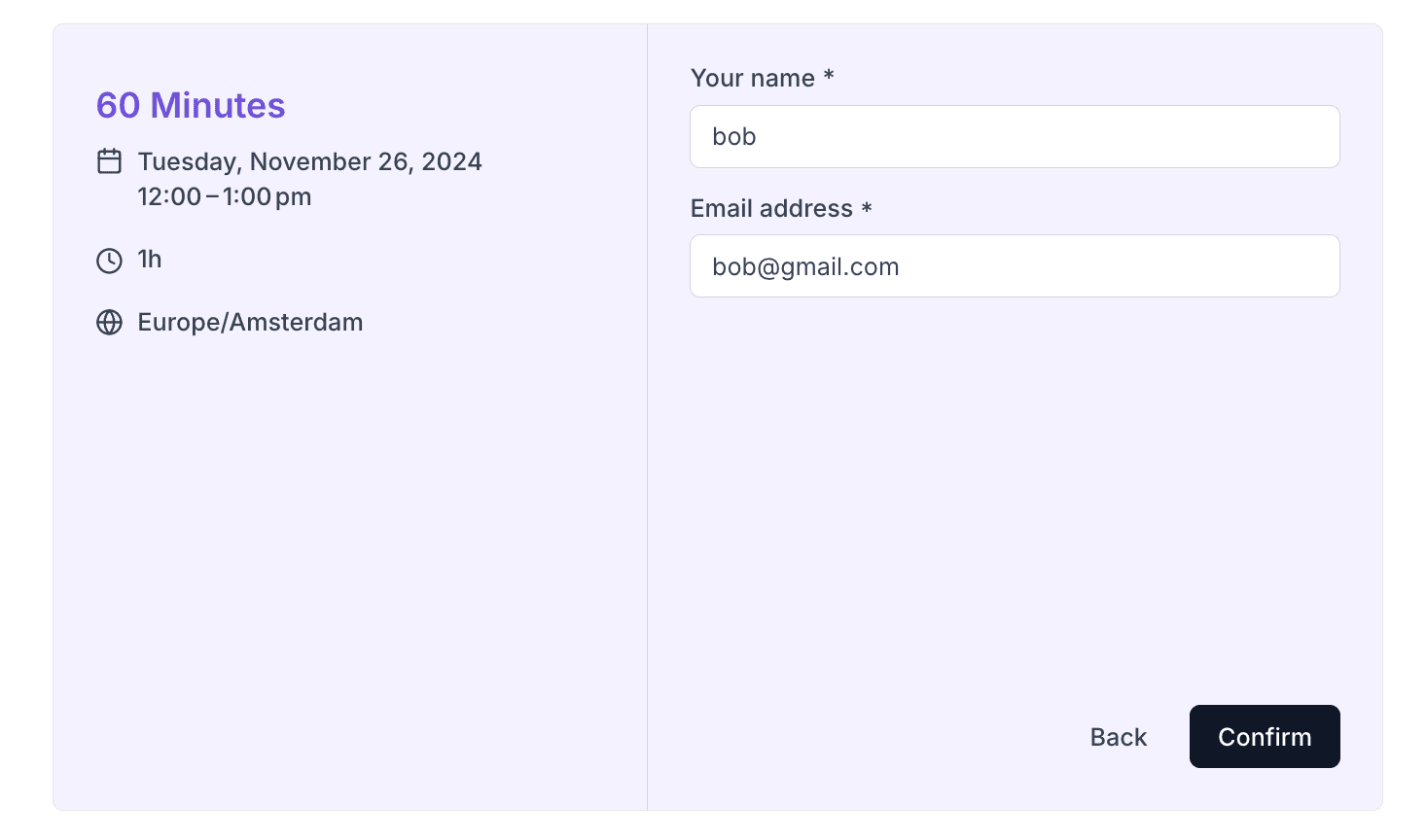
Prefilling default booking fields
If you want to pre-fill name and email fields you can pass them to the Booker atom’s defaultFormValues prop:
<Booker
    defaultFormValues={{
        name: "bob",
        email: "bob@gmail.com",
    }}
/>
Prefilling custom booking fields
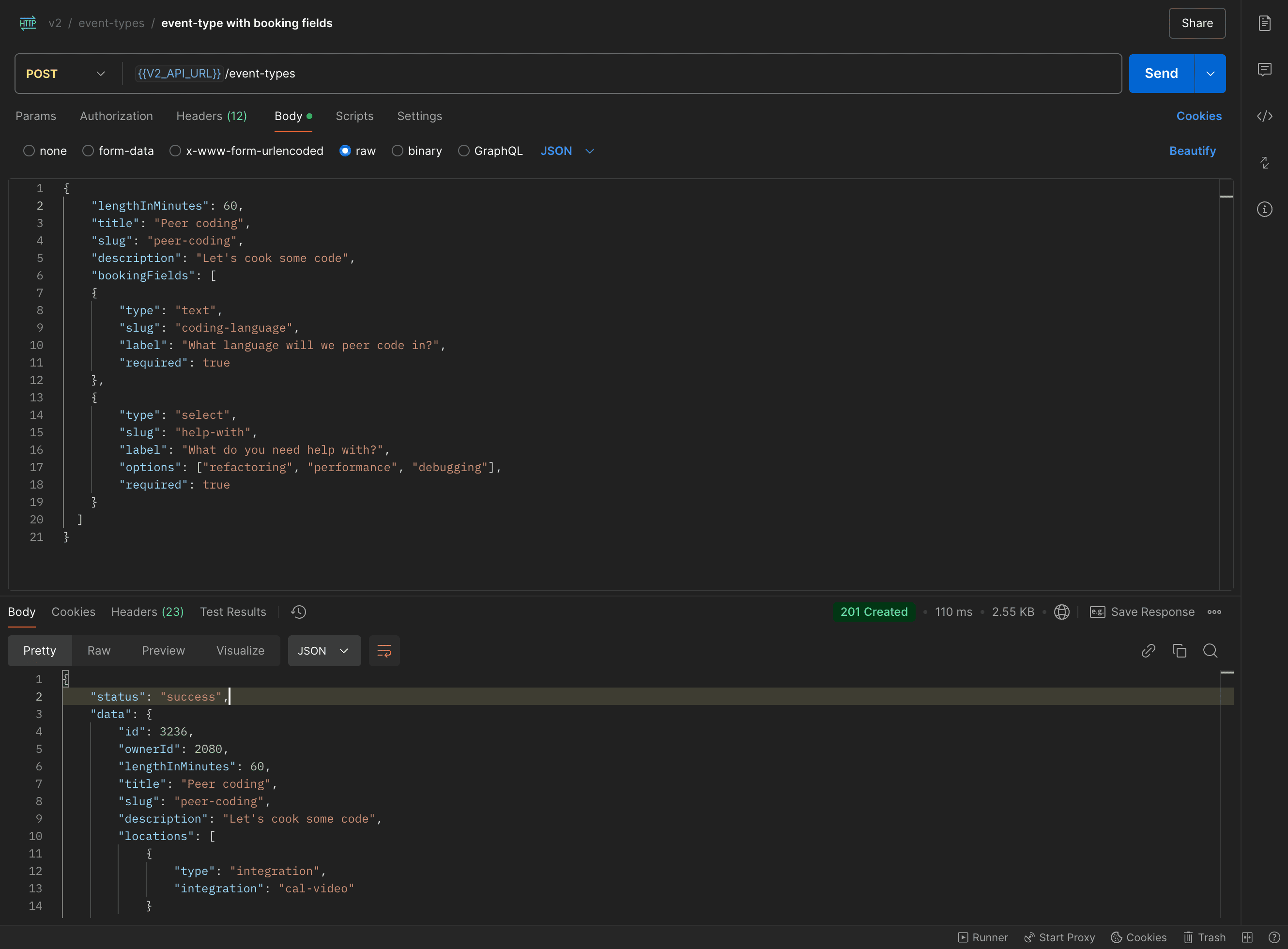
We created an event type for managed user with custom text and select fields. Name and email fields are created by default. Here is the request:
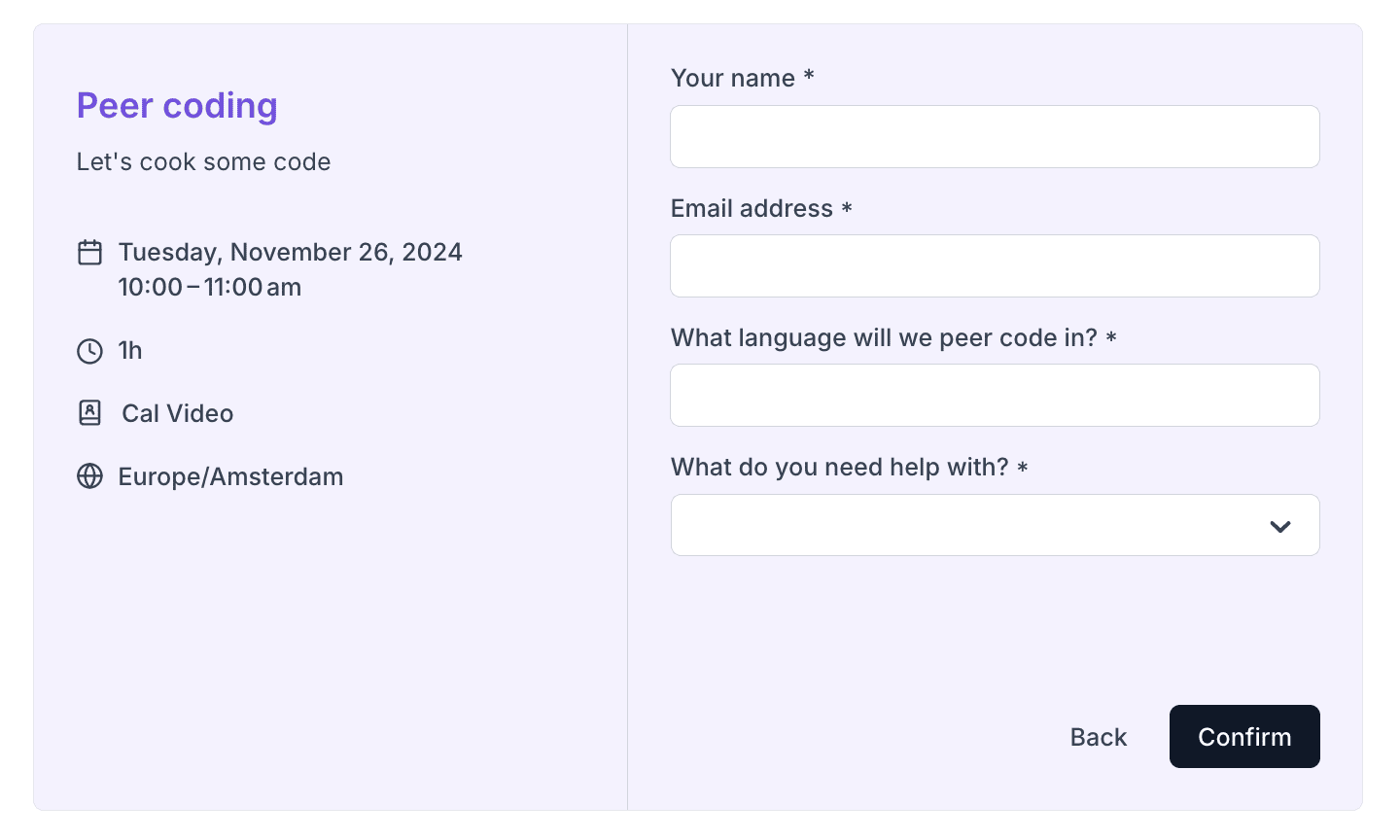
 That looks in booker like:
 Let’s say you want that when someone is trying to book one of your managed users that the
booking fields should be pre-filled with some data. We see that one of the booking fields has slug
Let’s say you want that when someone is trying to book one of your managed users that the
booking fields should be pre-filled with some data. We see that one of the booking fields has slug coding-language and the other
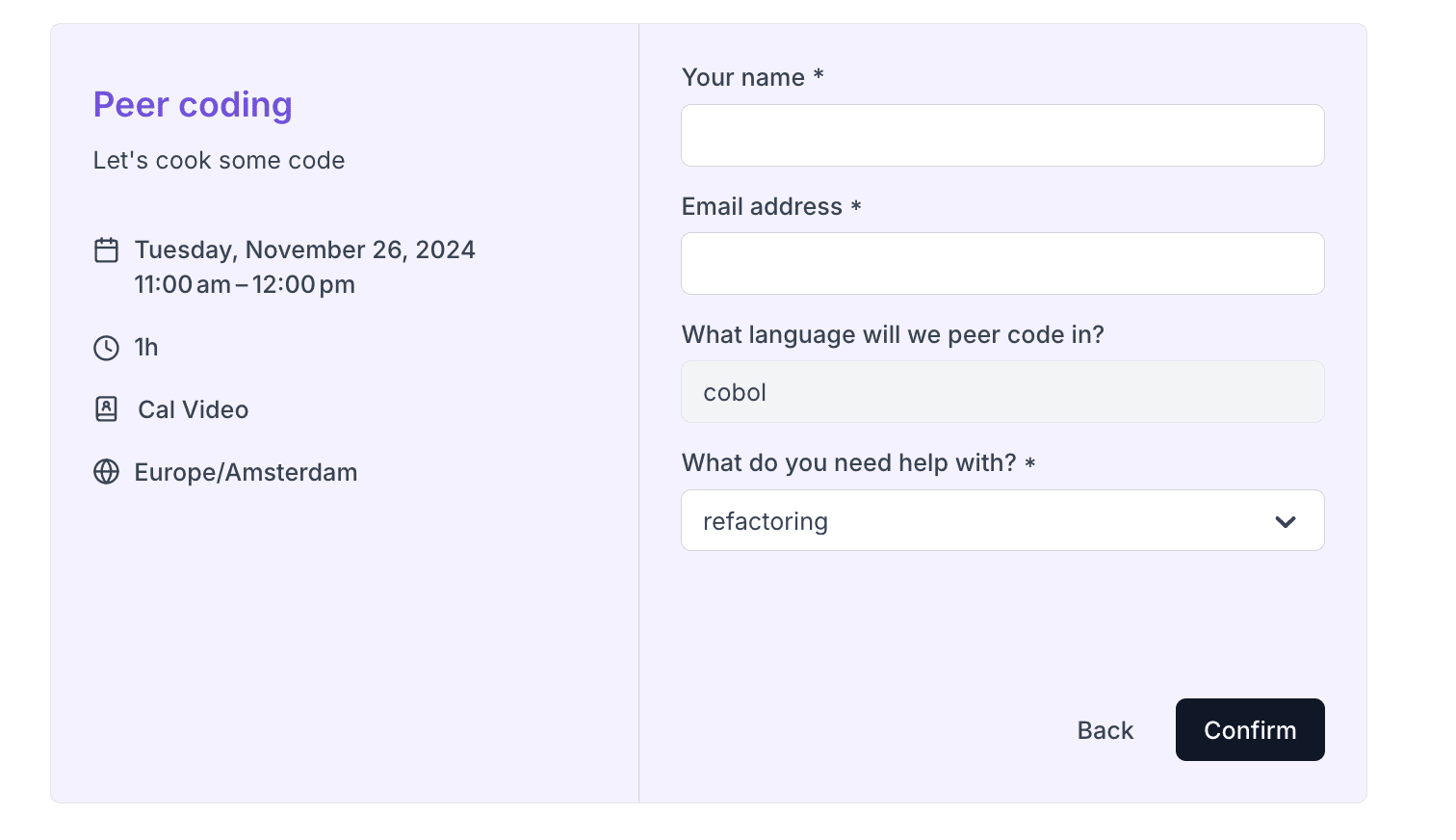
help-with. To pre-fill them you pass their slugs and values to the Booker atom’s defaultFormValues prop:
<Booker
    defaultFormValues={{
        "coding-language": "cobol",
        "help-with": "refactoring"
    }}
/>
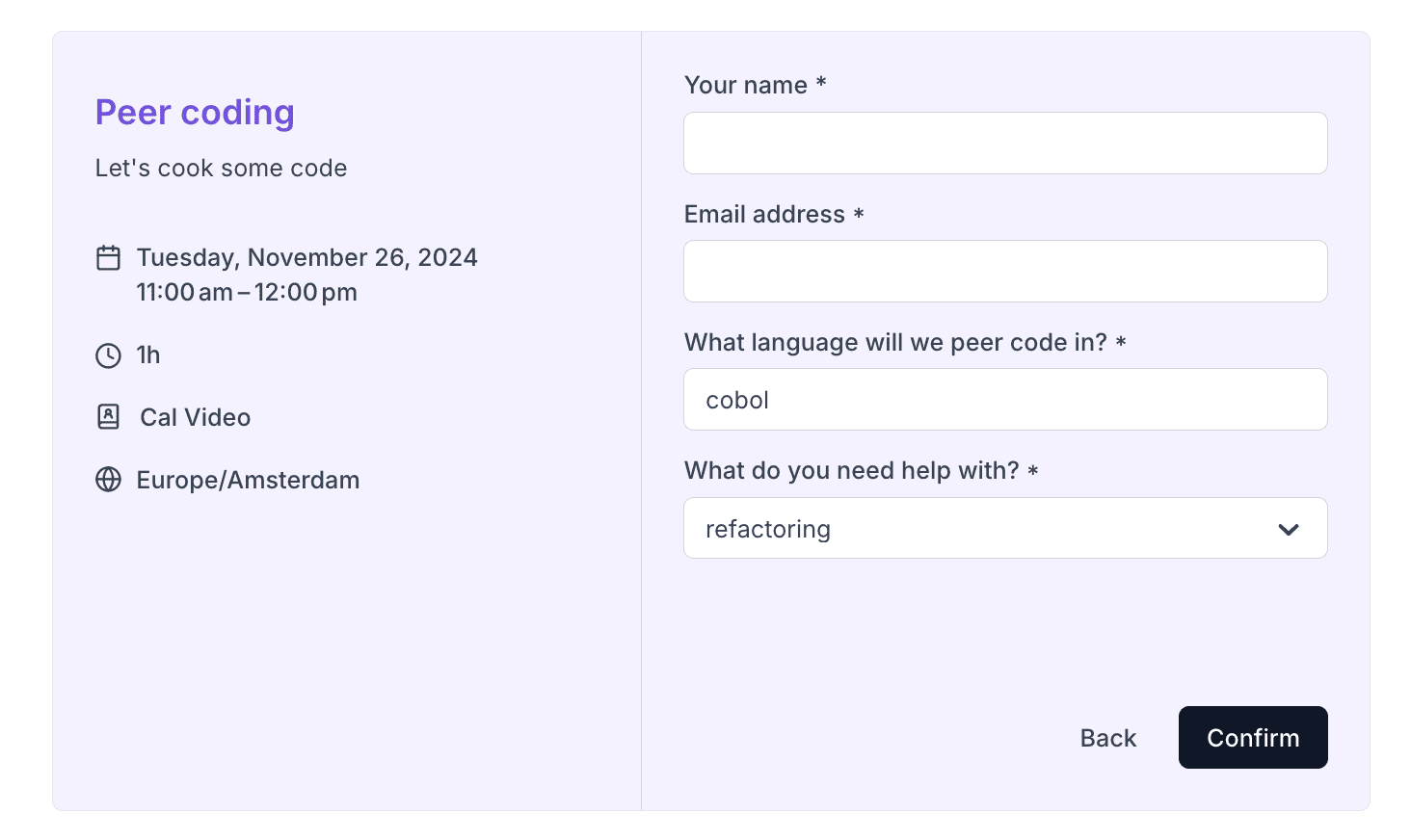
Making pre-filled fields read-only
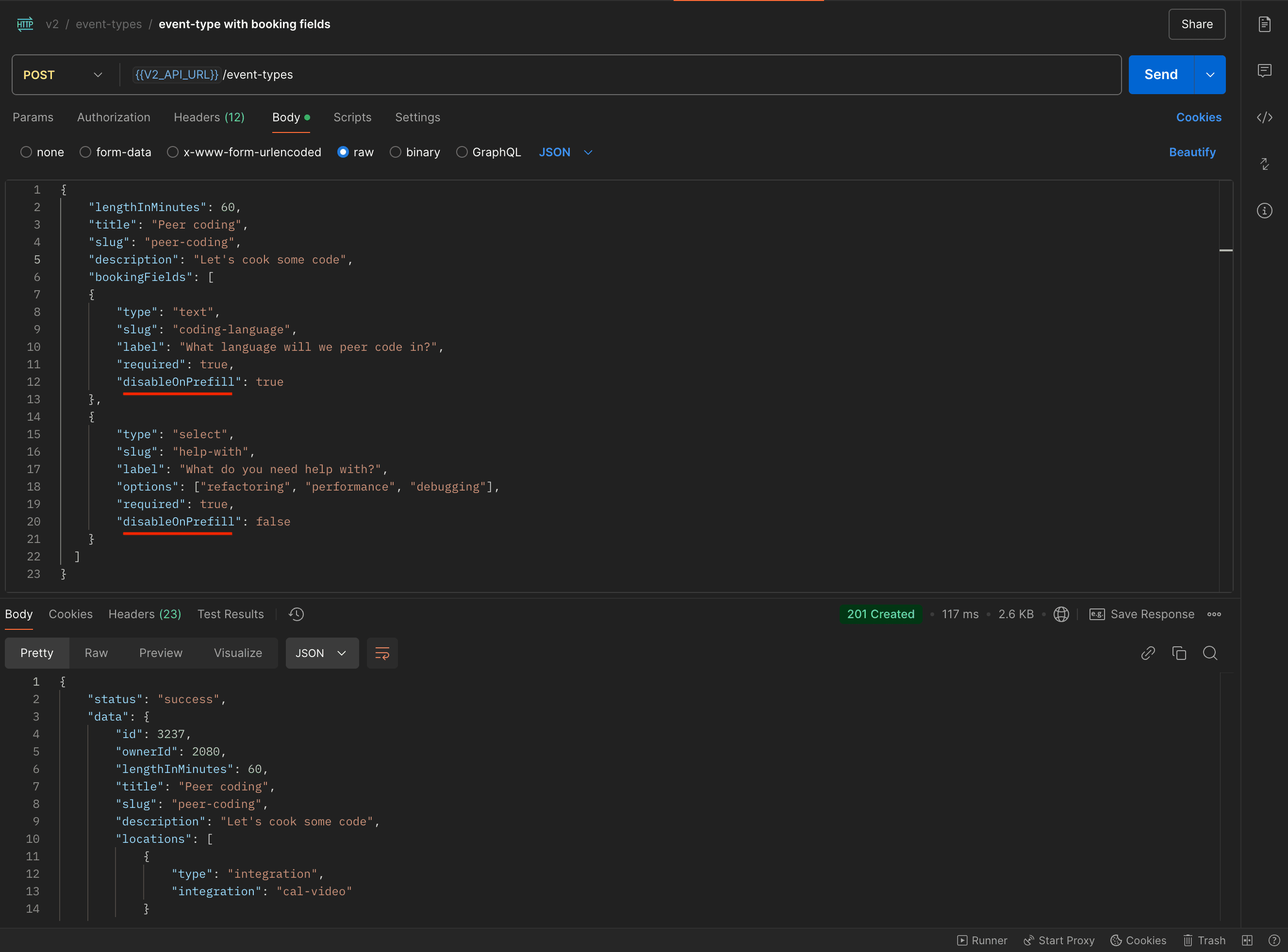
disableOnPrefill booking field property controls whether or not to make a booking field read only if we pass its value in the defaultFormValues prop. Here is an example request
where we create an event type with one booking field with “disableOnPrefill”: true and the other with “disableOnPrefill”: false:
 If we pass their values to the Booker atom:
<Booker
    defaultFormValues={{
        "coding-language": "cobol",
        "help-with": "refactoring"
    }}
/>